
A project decision log is a running record of the significant choices made on a project: what was decided, who decided it, why, and when it should be revisited. Its value is simple. It stops the same argument happening twice, gives new team members instant context, and gives auditors and boards a paper trail they can trust. This article gives you the fields, a working template, and the steps to run one properly.
TL;DR:
- Decision logs should only record choices that impact project direction, scope, risk, or investment, avoiding routine, reversible decisions made daily.
- Accurate entries must be made immediately when decisions are finalized, with clear fields including decision ID, owner, rationale, alternatives, and review triggers.
- Ownership of the log must be assigned to a single accountable person, with regular review and archiving to prevent bloat and maintain usefulness.
- Linking decision records to tasks and setting automated review reminders enhance visibility and compliance, especially in complex or regulated sectors.
- A well-maintained, audit-ready log requires tags, timestamps, status updates, and supporting evidence to ensure clarity, traceability, and compliance with oversight standards.
Table of Contents
- What is a project decision log, and how does it differ from meeting minutes?
- Why do teams bother keeping a decision log?
- Who owns the decision log, and who should read it?
- What should a decision log entry actually contain?
- How do you implement a decision log without it falling apart in month two?
- How should the decision log connect to your other project tools?
- How do you make the decision log genuinely audit-ready?
- What are the common pitfalls, and how do you avoid log bloat?
- Author perspective: what disciplined logging actually buys you
- When a document isn't enough: platform-backed decision records
- Sources
- FAQ
What is a project decision log, and how does it differ from meeting minutes?
A decision log, sometimes called a decision register, is a standing record of the choices that shape a project's direction, scope, risk exposure, or spend. It is not a transcript. It is not a to-do list. It captures the moment a decision became final, along with enough context that someone reading it in eight months understands why.
That distinction matters against three things people often confuse it with:
- Meeting minutes record discussion and attendance; a decision log records only the outcome and rationale, pulled out of the noise.
- Architectural Decision Records (ADRs) are a technical subset, used to capture engineering trade-offs like framework or platform choices, and typically live in a code repository rather than a project workspace. ADRs capture context, options and consequences in a fixed format.
- RAID logs track risks, assumptions, issues and dependencies as they evolve; a decision log records the closure point once a call has actually been made.
The threshold test is straightforward: log it if the choice changes direction, investment, platform selection, or risk exposure, and skip it if it's a reversible, low-impact call your team makes ten times a day.
Why do teams bother keeping a decision log?
The honest answer is that most teams don't bother, until a decision gets challenged six months later and nobody can remember who approved it or why. A decision log exists to close that gap before it opens.
Three benefits do the heavy lifting:
- An audit trail with names attached. Government audit guidance treats clear records, timestamps and accountable ownership as central to oversight, and a decision log is where that evidence lives before an auditor ever asks for it, according to GAO guidance on governance and accountability.
- Faster onboarding and less rework. New joiners read the log instead of interrogating five people about a choice made months ago, and teams stop relitigating decisions that were already settled.
- A feedback loop for better decisions. Outcome reviews only work if someone recorded what was expected at the time. SEI/Carnegie Mellon's guidance on decision documentation frames this as preserving rationale specifically so it can be reviewed against what actually happened.
Pro Tip: Treat every entry as evidence you might need in a dispute, not as a diary. Write it as if a stranger, or an auditor, will read it with no other context.
Who owns the decision log, and who should read it?
Ownership needs to sit with one accountable role, not a committee, or the log rots within a month. On most projects that's the project manager or product lead; on technical decisions, an architecture owner often takes the pen, with the PM still accountable for the log's overall health. Sponsors and boards get involved when a decision crosses a spend or risk threshold defined in your governance model, similar to the escalation paths covered in project portfolio governance.
Contributors and readers typically break down as:
- Owner: writes or approves the final entry, sets the review trigger.
- Contributors: subject matter experts, legal, or security teams who informed the decision but don't own the write-up.
- Readers: delivery teams applying the decision day to day, future maintainers, and auditors checking the trail after the fact.
Clarity here overlaps heavily with a project RACI matrix, which is worth setting up alongside the log rather than after it.
What should a decision log entry actually contain?
A good entry is short but complete. Decision register guidance from Nortrue recommends capturing the decision itself, the alternatives considered, the rationale, the owner, and a follow-up trigger, and that structure holds up well in practice.
Here are the fields worth including in a full entry:
- Decision ID — a short reference (e.g. DEC-014) so it can be linked from tasks, risks, or meeting notes.
- Title — one line describing the decision, written as a statement, not a question.
- Date — when it was finalised, not when it was first discussed.
- Owner — the named person accountable for the call.
- Summary — two or three sentences on what was decided.
- Alternatives considered — the options that were rejected, and briefly why.
- Rationale — the reasoning that tipped the balance.
- Status — approved, superseded, or archived.
- Review trigger — the date, milestone, or metric that should prompt a revisit.
- Linked actions — tasks or tickets that implement the decision, with owners.
- Supporting links — the document, thread, or meeting note where it was discussed.
A worked example, kept deliberately tight:
DEC-014 | Switch primary contractor for M&E works | 4 March 2026 Owner: J. Adeyemi. Summary: Replaced original M&E subcontractor after two missed milestones. Alternatives: retain with penalty clause, split scope between two firms. Rationale: single accountable contractor reduces coordination overhead given tight programme. Status: approved. Review trigger: first monthly progress report, 30 April 2026. Linked actions: revised subcontract issued (TASK-221, owner: Procurement).
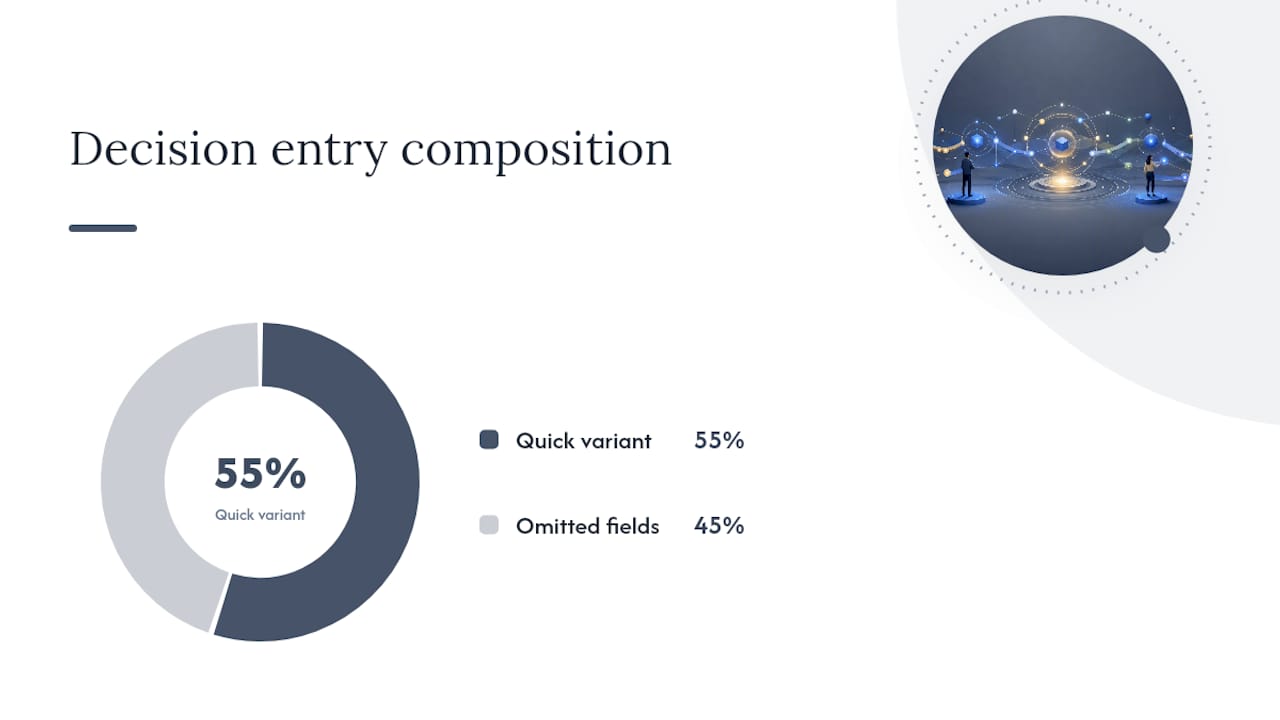
If that feels like too much for a fast-moving meeting, use the Six-Field quick variant: title, date, owner, summary, alternatives, and review trigger. Quire's decision log guidance recommends exactly this shorthand for capturing decisions live, with the fuller entry backfilled later if the decision turns out to matter more than expected.
How do you implement a decision log without it falling apart in month two?
Most decision logs fail for one boring reason: nobody writes the entry at the moment the decision is made. By the Friday wrap-up, the alternatives are forgotten and the rationale gets flattened into a single sentence nobody can defend later. Guidance on common decision log pitfalls names retroactive logging as the most frequent governance failure, and it's an easy one to fix with the right habits.
- Capture at the point of decision. Whoever makes the call, or the PM if it happens in a steering meeting, writes the entry within the same day, while the alternatives are still fresh.
- Put it on the agenda. Add "decisions to log" as a standing item in sprint reviews and steering meetings, so it's a checklist item rather than an afterthought.
- Assign one accountable owner for the log's health. Someone needs to chase missing entries, not just add their own.
- Set naming conventions early. A consistent ID format (DEC-001, DEC-002) makes the log searchable within weeks rather than becoming a scroll of loosely titled rows.
- Update status as decisions evolve. Mark entries superseded rather than deleting them; the history of a reversed decision is often more useful than the decision itself.
- Archive on a schedule. Move closed, low-relevance entries to an archive view quarterly so the active log stays short enough that people actually read it.
Pro Tip: If an entry takes more than five minutes to write, the decision probably isn't final yet. Long, hedged entries are usually a sign the team is logging a discussion, not a decision.
How should the decision log connect to your other project tools?
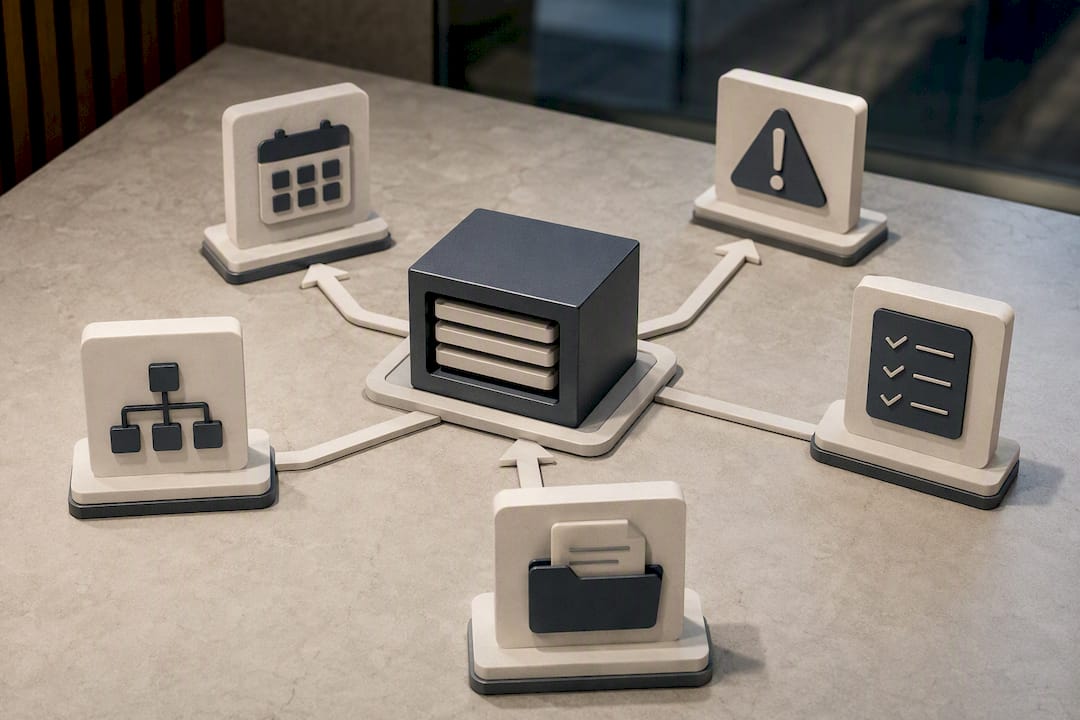
Where you store the log matters less than whether it's discoverable. A document in your project workspace, a dedicated record type inside your project management tool, or ADRs committed to a code repository can all work, provided the team knows where to look without asking. Quire's research found that a single, consistent home for decision records, rather than entries scattered across emails and chat threads, cuts down on orphaned decisions that nobody can find six months on.
A few integration habits pay off quickly:
- Link decisions to tasks, so the decision appears in the same execution view as the work it triggered, not in a separate silo nobody checks.
- Set status-change triggers. When a decision moves from "approved" to "superseded," notify whoever owns the linked tasks.
- Automate review reminders. DecisionOS, an open-source example of a lifecycle-based decision system, shows how status workflows and scheduled outcome reviews can run without manual chasing.
- Control access sensibly. Not every decision needs to be visible to the whole organisation; restrict sensitive entries rather than keeping them out of the log entirely.
- Keep it searchable. Tag entries by workstream or risk category so a new team member can filter to what's relevant instead of reading the whole history.
How do you make the decision log genuinely audit-ready?
A log only earns trust with auditors and boards if it has a clean lifecycle and evidence attached, not just a list of statements. That means every entry needs a status, a timestamp, and a named owner, with review triggers tied to real milestones rather than vague future dates.
The signals that tend to matter most:
- Status lifecycle: draft, approved, superseded, or archived, each with a timestamp and the name of whoever changed it.
- Review triggers: a date, milestone, or metric threshold that automatically prompts a revisit, not a hope that someone remembers.
- Immutable history: superseded entries stay visible rather than being overwritten, so the trail shows how thinking changed.
- Linked evidence: the meeting note, report, or data that informed the call, attached rather than paraphrased from memory.
GAO's audit guidance treats exactly this combination, clear records, timestamps and accountable ownership, as the baseline for oversight. A log that meets that bar doubles as evidence for risk reviews too, which is where it starts overlapping with broader risk management practice.
What are the common pitfalls, and how do you avoid log bloat?
The most common failure isn't an empty log, it's a bloated one nobody reads. When every minor task-level choice gets an entry, the genuinely important decisions get buried, and the log stops earning its keep.
- Apply the threshold test consistently: log decisions that change direction, investment, or risk exposure; leave reversible day-to-day calls in your task tool.
- Write entries the day the decision lands, not at a weekly wrap-up when detail has already faded.
- Give the log one home and one person accountable for its format, so entries don't fragment across tools.
- Archive superseded decisions rather than deleting them, keeping the active view short and genuinely useful.
Pro Tip: If your log has more than fifty active entries after a few months, you're probably logging tasks, not decisions. Prune ruthlessly.
Author perspective: what disciplined logging actually buys you
Across governance engagements, the pattern repeats: teams that log decisions at the point they're made spend noticeably less time relitigating settled questions and produce cleaner audit evidence with far less scrambling, as shown in practical tools and leadership guidance that embed governance into delivery workflows. The gain isn't the log itself; it's the discipline of writing the rationale down before memory softens it. A document works fine at small scale. Once decisions span multiple teams, sectors, or regulatory reviews, the case for a platform with enforced status workflows and scheduled outcome reviews gets much stronger.
— Peter
When a document isn't enough: platform-backed decision records
A spreadsheet or shared document works well until decisions span multiple teams, sites, or regulatory bodies, at which point tracking status, review dates, and linked actions by hand starts to break down. That's the point where One approach differs from a generic template by building decision records directly into mapped, stage-gated workflows, so every entry carries its status, its review trigger, and its linked actions automatically, without someone chasing updates by hand.
For sectors like healthcare, construction, and facilities management, where a missing rationale can mean a failed audit rather than an awkward meeting, that automation is the difference between a log that looks tidy and one that actually holds up under scrutiny. If you're weighing up whether your project has outgrown a document, Videra PM is built for exactly that transition, with governance and reporting tools that turn decision tracking into something your board can rely on rather than something you assemble before every review. Get in touch to see how it maps onto your current process.
Sources
- GAO report on governance and accountability
- SEI resource on decision documentation
- Project Decision Log: The Template Your Team Needs | Quire
- Decision log template guidance — Project Management Formula
FAQ
What should go in a decision log?
Each entry should capture the decision itself, the date, the owner, the alternatives considered, the rationale, current status, and a review trigger. Linked actions and supporting documents round it out for anything with real weight.
What is the 10-10-10 rule for decisions?
The 10-10-10 rule asks you to consider how a decision will look in ten minutes, ten months, and ten years, a useful sense check for weighing short-term discomfort against long-term consequences before you commit it to the log.
What is a decision log?
A decision log, or decision register, is a running record of significant project decisions, including who made them, why, and when they should be revisited. It differs from meeting minutes by recording outcomes and rationale rather than discussion.
How do you create a decision log?
Start with a shared document or a record type inside your project tool, define the fields you need (owner, summary, rationale, status, review trigger), and capture entries at the point a decision is finalised rather than after the fact. Platforms like Videra PM automate the status tracking and review scheduling once volume grows.