
Document version control is the process of tracking every change to a file so people always work from the current, approved version and never lose the history behind it. Start today by creating a master controlled document list, or switching on built-in versioning in your shared drive. Both manual and automated routes are covered below, so pick whichever matches your team's size and risk level.
TL;DR:
- Manual or automated systems are suitable depending on team size, with dedicated document management systems offering more formal control for regulated environments.
- Version numbering schemes like n.n or Semantic Versioning (major.minor.patch) help track significant, minor, or formatting changes, with each revision including detailed change descriptions.
- Never edit an approved document directly; use check-in and check-out procedures or co-editing tools during drafts, and maintain control by marking approved files as read-only.
- Superseded versions should be archived in controlled folders with clear labels, and printed copies must be registered or marked as uncontrolled to ensure document currentness.
- Accurate master lists, approval evidence, and clear retention rules are essential for audit readiness and to prevent risks from outdated documents or undocumented approvals.
Table of Contents
- What document version control actually means
- Why version control matters: the risks it removes
- How to get started: a checklist for this week
- Manual naming, cloud histories and dedicated document management systems
- Version numbering conventions that actually work
- [Check-in, check-out and live co-editing without the chaos enable teams to collaborate effectively while maintaining control, especially when supported by a prywatny czat na dokumentach dla biur rachunkowych to secure document communication.](#check-in-check-out-and-live-co-editing-without-the-chaos-enable-teams-to-collaborate-effectively-while-maintaining-control-especially-when-supported-by-a-prywatny-czat-na-dokumentach-dla-biur-rachunkowychhttpsszopalabscomblogprywatny-czat-na-dokumentach-to-secure-document-communication)
- Using version history inside the apps you already have
- Managing old versions: retention, archiving and obsolescence
- When Git-like, automated approaches make sense
- What auditors check: standards, evidence and a minimal checklist
- How Keystone applies version control in regulated delivery
- Practitioner viewpoint: the pitfalls nobody flags early enough
- Why Keystoneconsulting handles this differently
- Sources
- FAQ
What document version control actually means
Document version control is the systematic process of managing files so that people always access the current, approved version rather than an outdated draft. Get it right and you also keep an auditable trail of who changed what, and when.
It helps to separate two things people often lump together: controlled documents (procedures, policies, drawings, specifications that govern how work is done) and records (evidence that work was actually carried out, such as signed inspection sheets). Controlled documents get versioned and revised. Records get filed and kept as-is.
Every controlled document moves through a predictable lifecycle:
- Draft: someone writes the first version, unapproved and clearly marked as such.
- Review: colleagues or a nominated reviewer check content, accuracy and compliance.
- Approval: a designated role signs off formally, with a dated authorisation.
- Distribution: the approved version reaches everyone who needs it, and only that version.
- Revision: a change is needed, so the cycle restarts from a new draft.
- Obsolescence: the old version is withdrawn from active use and archived.
A document's status should only flip to "approved" on formal, dated authorisation by a named role, never by default because a deadline passed. Mapping documents against these six stages is what makes an audit trail traceable rather than guesswork.
Why version control matters: the risks it removes
The core risk is simple and expensive: someone works from an outdated file and the mistake only surfaces later, in a failed inspection, a rejected claim, or a site error. Version control closes that gap by making the current, approved file the only one anyone can reasonably find.
The benefits compound from there:
- No more "final_final_v3" chaos. A single naming convention and one master list end the guessing game.
- Faster reviews. Reviewers see exactly what changed since the last approved version, instead of rereading the whole document.
- Clear accountability. Every revision has an owner and an approver, so nobody can say "I didn't know that was the current version."
- Audit readiness. Auditors want evidence of who approved a document and when, not a verbal assurance that "someone checked it."
Pro Tip: Auditors frequently compare the master list against the documents actually in use on the floor or on site. A mismatch between the register and reality is one of the fastest ways to fail an audit, so treat the register itself as a living document, not a one-off spreadsheet you fill in once.
How to get started: a checklist for this week
You don't need new software to start. You need discipline and a short list of decisions, made once and applied consistently.
- Define scope. Decide which documents need formal control (policies, procedures, drawings) and which are working files that don't.
- Assign owners. Every controlled document needs one person accountable for its accuracy and its next revision.
- Build the master list. One register, listing every controlled document, its current version, owner and review date.
- Choose a naming and numbering scheme. Pick a convention (covered below) and write it down so nobody improvises.
- Set an approval workflow. Decide who reviews, who signs off, and how that approval gets recorded with a dated effective date.
- Set retention rules. Decide how long superseded versions stay accessible and where they live once withdrawn.
- Communicate and train. Tell people where the master list lives and how to check they're using the current version.
Pro Tip: A minimal system can pass an ISO-style check even in a small team: a master list, a folder where only the document controller has write access, recorded approval evidence, and a traceable distribution list. It works if one person maintains it with discipline, not because the tooling is sophisticated.
Manual naming, cloud histories and dedicated document management systems
Three broad approaches cover most teams, and each suits a different stage of maturity.
- Manual naming and document control sheets. Cheap and quick to set up, but entirely dependent on people following the rules every single time. Works for small teams with few documents.
- Cloud app version history. Google Drive, SharePoint and similar tools log every save automatically, which is convenient for recovering accidental edits. The catch: built-in change logs aren't always equivalent to formal approval evidence that a regulator or auditor expects to see.
- Dedicated document management systems (DMS). These add the structure manual methods lack: a master revision register, an immutable audit trail, and role-based approval workflows that stop unauthorised edits reaching a live file.
If you're operating under formal quality standards or regulatory oversight, lean towards the DMS route. If you're a small team documenting internal processes, a well-maintained manual system with strict discipline can genuinely hold up.
Version numbering conventions that actually work
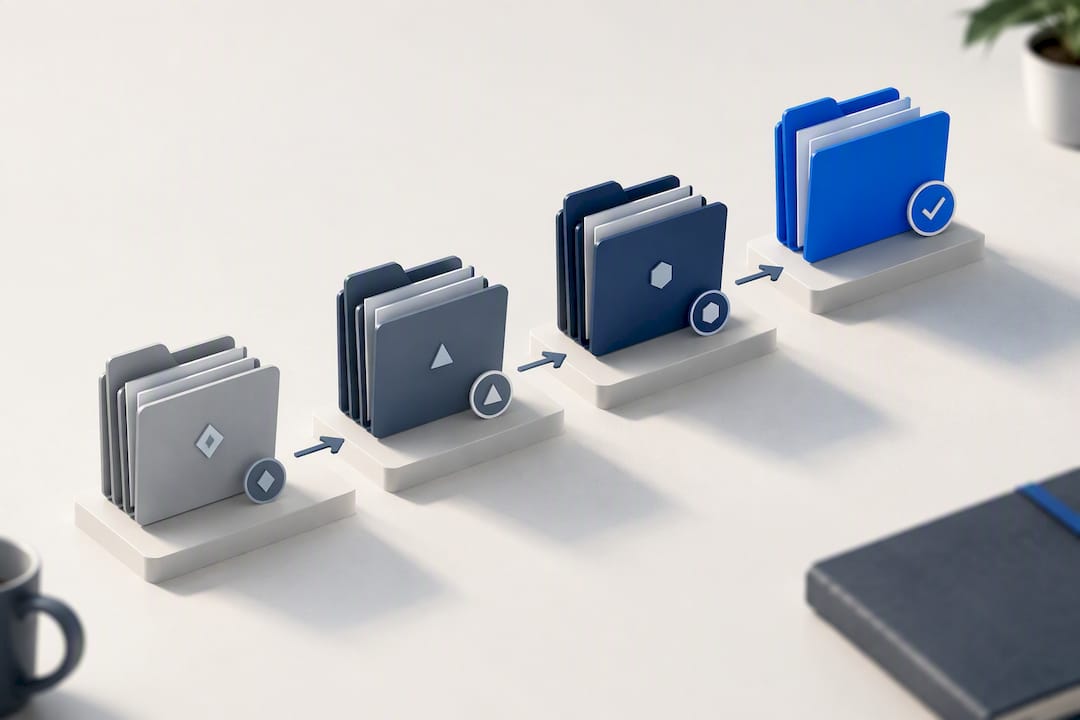
The simplest and most widely used scheme is the n.n format: draft versions start at 0.1, incrementing with each review round (0.2, 0.3), and the first formally approved version becomes 1.0. After approval, minor edits bump the number to 1.1, 1.2, while a significant rewrite or re-approval jumps it to 2.0.
Software teams often extend this to MAJOR.MINOR.PATCH (semantic versioning), which works just as well for complex technical documents:
- Major (2.0): a substantial rewrite requiring full re-approval.
- Minor (1.1): a meaningful update that doesn't change the document's core intent.
- Patch (1.1.1): a typo fix or formatting correction.
Pro Tip: Whatever scheme you pick, every revision history entry needs one line stating what actually changed, not just a new number. "Updated section 4 to reflect new supplier list" tells a reviewer far more than "v1.3."
Check-in, check-out and live co-editing without the chaos enable teams to collaborate effectively while maintaining control, especially when supported by a prywatny czat na dokumentach dla biur rachunkowych to secure document communication.
Live co-editing tools like Google Docs and SharePoint work brilliantly for drafts still in review, where several people genuinely need to edit the same content at once. Check-out systems, where one person locks a file while working on it, suit documents further along, where overlapping edits risk contradicting each other.
The rule that matters most: never edit an approved file directly. Any change to an approved document starts a new draft, goes through review, and gets its own approval before it replaces the live version.
- Use co-editing for early drafts, before anything is formally approved.
- Use check-out for documents mid-revision, where conflicting edits would cause real problems.
- Mark approved documents read-only wherever your software allows it, so accidental overwrites simply can't happen.
Using version history inside the apps you already have
Most cloud tools keep a version history you can open, compare and restore from without leaving the app. In Google Docs, that's the file's version history panel; in Microsoft 365, it's the version history option on the file itself.
- Open the history, find the point before the unwanted change, and restore or copy the earlier text.
- Use built-in compare or "track changes" views to generate a clear change summary for your revision history log.
- Treat these histories as a recovery tool, not formal proof of approval. They show what changed, not that a designated role signed off on it.
Managing old versions: retention, archiving and obsolescence
Superseded versions need a clear home, not deletion and not a lingering spot on the shared drive where someone might reopen one by mistake. Move them to a controlled archive folder and mark them "Superseded" the moment a new version is approved.
Printed copies deserve particular attention. A printed page has no version history and no way to update itself, so treat every print as uncontrolled unless it's explicitly registered and stamped. Make the digital current version easier to reach than any printout, so people default to checking online rather than trusting a page pinned to a wall.
- Stamp uncontrolled prints clearly, or keep a register of who holds a controlled printed copy.
- Tie training and distribution to the document's effective date, not the date someone happened to read it.
When Git-like, automated approaches make sense
Software developers have used version control systems for decades, and the same logic increasingly applies to business documents. A Git-like approach gives every saved change an immutable hash, treats a draft as a "branch," and treats formal approval as a "merge" into the master version.
- Branches let several people draft changes in parallel without touching the approved copy.
- Merges translate the approval step into a traceable, cryptographic event, which suits environments where auditors want to prove nothing was altered after sign-off.
- This suits regulated or fast-changing environments, but it asks non-technical teams to learn unfamiliar concepts, so plan for training if you introduce it.
For most teams outside heavily regulated sectors, a DMS with a strong audit trail delivers similar assurance without the learning curve.
What auditors check: standards, evidence and a minimal checklist
ISO 9001 requires that documented information stays available where it's needed, protected from unauthorised change, and current. Auditors specifically look for a master list, approval evidence, and proof that obsolete revisions can't be reached at the point of use.
The minimum evidence set that satisfies most audits:
- Master register of all controlled documents.
- Revision history showing what changed and when.
- Recorded approval evidence, ideally with a compliant electronic signature where regulations such as 21 CFR Part 11 apply.
- Distribution log confirming who received the current version.
- Periodic review schedule and clear retention or obsolescence rules.
Worth remembering: treat your own document control procedure as a controlled document too. Auditors often check that one first, as a quick test of whether the whole system is credible.
How Keystone applies version control in regulated delivery
Across healthcare, construction and facilities management projects, the recurring failure Keystoneconsulting sees isn't complicated: no master list, printed copies nobody tracks, and approvals that live in someone's memory rather than on record. An effective approach maps approvals directly into workflows, so evidence gets captured as work happens, not reconstructed afterwards. A platform-based system enforces the discipline that manual habits tend to lose under deadline pressure without needing every team member to become a document control expert.
Practitioner viewpoint: the pitfalls nobody flags early enough
The failures repeat: no master list, printed copies nobody tracks, approval evidence that exists only as a verbal memory. Fix the master list first. Everything else, from naming to audit readiness, gets easier once one register tells the truth about what's current. Start with the checklist above.
— Peter
Why Keystoneconsulting handles this differently
Spreadsheets and shared drives can get you a working manual system, but they rely entirely on someone maintaining discipline every single day. Keystoneconsulting is the alternative to bolting version control onto tools that were never built for it: mapped workflows and audit-ready evidence captured as part of the delivery process itself, not reconstructed after the fact when an auditor asks for proof.
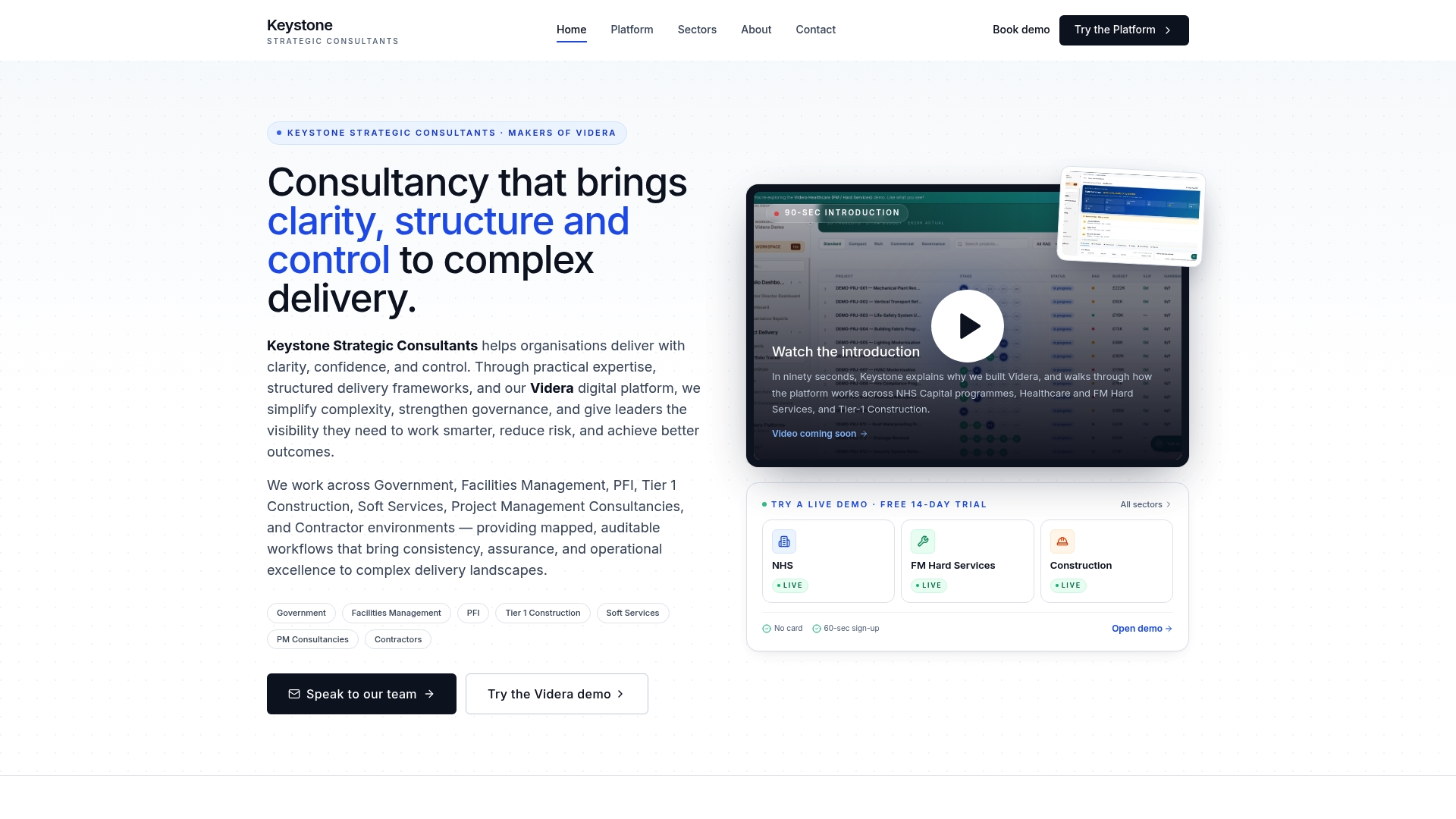
Keystone works directly with teams in healthcare, construction and facilities management, integrating governance design with the Videra platform so approvals, revision history and distribution logs sit inside the same system your people already use to deliver work. A typical engagement runs through assessment, control design, platform integration and handover, with your own staff trained to run it, not dependent on outside consultants indefinitely. If you're building or fixing a document control procedure and want it audit-ready from day one, get in touch through Keystone's consultancy page to discuss what your sector and your current setup actually need.
Sources
- Document version control (Proton Business blog)
- Document control procedure (CASRAI guide)
- Version control guidance (Lancaster University)
FAQ
What is version control in documents?
Version control in documents is the practice of tracking every change to a file, so the current, approved version is always identifiable and earlier drafts remain retrievable. It typically combines a naming or numbering scheme with an approval and audit trail recording who changed what and when.
What are the three types of document control?
Most teams use some mix of manual naming with control sheets, built-in cloud app version history, or a dedicated document management system with role-based approvals and an immutable audit trail. Manual suits small teams; a DMS suits regulated or fast-moving environments where formal approval evidence matters.
What is an example of document control?
A typical example: a procedure document starts as draft 0.1, goes through review, gets formally approved and becomes version 1.0 on a specific dated authorisation, then gets distributed only to people on a recorded distribution list. Minor edits afterwards become 1.1 or 1.2, following the n.n numbering convention.
How do I manage different versions of a document?
Keep one master list showing every document's current version, owner and review date, and archive superseded versions clearly marked "Superseded" rather than deleting them. For teams handling audit-heavy sectors, a platform like Videra Construction or Videra Healthcare maps that whole process into a mapped workflow with recorded approval evidence built in.