
Construction document control is the discipline of keeping every drawing, submittal, and RFI logged, versioned, and traceable so every project participant works from the current, authorised file. The single most effective first step is establishing one source of truth and naming a document owner from day one. Get that right and rework, disputes, and audit failures drop sharply.
TL;DR:
- Establishing a single source of truth and assigning a document owner from the start reduces rework and dispute risks across construction projects.
- Proper document control involves logging, versioning, and tracking every document, including drawings, RFIs, change orders, and closeout records, with consistent metadata.
- Implementing standardized naming conventions, locked-down version control, and role-based access prevents costly errors and maintains an accurate audit trail.
- Continuous management through project phases, from preconstruction to closeout, ensures updates are logged, superseded versions are marked, and field access is current.
- Governance flaws such as lack of ownership and manual record-keeping are common causes of delays; mapping workflows and automating reporting significantly improve audit readiness.
Table of Contents
- Why does document control matter on construction projects?
- What documents does construction document control cover?
- What controls actually prevent document errors?
- How do you run document control through each project phase?
- Which document control tools fit your project?
- Who should own document control on your project?
- How do you audit or set up document control quickly?
- What does Keystone's governance work reveal about document control?
- Governance beats tool shopping every time
- How Videra keeps your records audit-ready by design
- Sources
Why does document control matter on construction projects?
Poor document control shows up as cost, not just chaos. Autodesk's research found that construction professionals spend roughly 35% of their time hunting for project information rather than doing productive work. That figure alone explains why so many projects run over budget without an obvious single cause.
The mechanics are simple enough. A subcontractor builds from an outdated drawing because nobody flagged the revision. A submittal sits unanswered for three weeks because no one owns the review queue. A change order gets verbally agreed on site and never makes it into the record. Each of these is small on its own; together they produce the delays and disputes that eat margin.
RFIs deserve particular attention here, since the average cost and turnaround time of handling one can be substantial at scale, especially on projects generating hundreds of them. When a dispute lands in front of an owner, an insurer, or a court, the audit trail is often the deciding evidence. A logged, timestamped record of who approved what and when is worth more than any verbal account of what "everyone knew" at the time. Poor documentation is also a well‑documented driver of claims and disputes across delivery projects generally, not just construction.
Autodesk research: Roughly 35% of construction professionals' time is lost hunting down project information, a direct consequence of weak document control.
What documents does construction document control cover?
Document control in construction projects goes well beyond drawings. It spans everything a project controls discipline is expected to track, with contract-quality rigour applied to every category.
- Drawings and drawing registers: the master list of every sheet, its current revision, and its approval status.
- Specifications and contract documents: the written requirements drawings reference, kept alongside amendments and addenda.
- Submittals, RFIs, and change orders: the request-and-response paperwork that drives most day-to-day decisions.
- Field reports, daily logs, and inspection records: the on-the-ground evidence of what actually happened.
- Closeout documents: warranties, operation and maintenance manuals, as-builts, and certificates of completion.
Whatever the document type, capture the same core metadata every time: project ID, discipline code, document type, sequence number, revision, approval status, issue and received dates, and a named owner. A municipal project delivery manual from the City of Los Angeles requires exactly this kind of field-level logging, including reviewer name and remarks, for good reason: it turns a folder of files into a searchable, defensible record.
What controls actually prevent document errors?
Five practices form the backbone of reliable document control on any project, according to Fieldwire's guidance: standardised naming, locked-down version control, role-based access, closing the gap between field and office, and closeout planning from day one. Each addresses a specific, recurring failure mode.
Naming conventions stop the guessing game. A structured file name (project code, discipline, sheet type, sequence, revision) tells anyone what they are looking at without opening the file. Many firms now build their naming schemes around ISO 19650, the international standard for managing information over the lifecycle of built assets, because it forces consistent fields across every discipline and every subcontractor on the job.
Revision versus status is the distinction that catches out even experienced teams. A drawing's revision number tracks how many times it has changed; its status tells you what it is permitted for, such as "for coordination" versus "for construction." A file can be at Revision 4 and still only approved for coordination, not for building from. Confusing the two is one of the most common causes of costly rework.
- Keep "latest approved" visually distinct from "latest issued" in every register.
- Log every access and change with a timestamp and user ID, not just a file date.
- Maintain a distribution matrix that defines exactly who receives which document type and at what stage.
- Restrict edit rights to named roles, not entire teams.
Pro Tip: Build your distribution matrix before the first drawing goes out, not after the first complaint about who was left off the list. Retrofitting access control after a dispute is far harder than setting it up on day one.
Formal transmittal records, in the tradition of the AIA G810 transmittal form, matter more than most teams assume. A transmittal proves not just that a document existed, but that it was sent, to whom, and when — the exact evidence an audit or a claim will ask for.
How do you run document control through each project phase?
Document control is not a one-off setup task. It runs continuously through three phases, each with its own checkpoints.
- Preconstruction: Choose the platform, agree the naming convention, appoint the document controller, and write closeout requirements into subcontracts before work starts. Tying part of final payment to timely document delivery is one of the more effective ways to guarantee trades actually submit O&M manuals and warranties on schedule, rather than chasing them for months after handover.
- Drawing issuance and supersession: Every new revision must be logged, distributed against the matrix, and the superseded version clearly marked "superseded," never deleted. Deleting old revisions destroys the very audit trail you need if a dispute arises later.
- Submittals and RFIs: Log each item against a review service-level agreement (SLA), typically 7 to 14 days depending on complexity, and link every submittal or RFI back to the specific drawing or spec section it affects. Untracked RFIs are where projects quietly lose weeks.
- Change management: Document the trigger, the cost and schedule impact, and the approval chain for every change order, then reconcile it against the drawing register so the "as-built" record stays accurate.
- Field procedures: Give site staff mobile access to the current document set, with offline sync for areas without signal. If the field cannot see the latest approved drawing on site, the entire system has failed at its one essential job.
- Closeout: Start assembling O&M manuals, warranties, and as-builts from the first day of construction, not the last week. Retroactive closeout collection is where most projects lose the most time at the point they can least afford it.
Which document control tools fit your project?
Choosing a platform starts with matching the category to your scale, not picking a brand. Four broad categories cover most projects.
- Common Data Environment (CDE): A CDE provides version control, permissions, and audit trails aligned to ISO 19650. It's the right choice once multiple disciplines and subcontractors need shared, governed access to the same live document set. General shared drives and email lack the governance features a CDE builds in by design.
- Project Management Information Systems (PMIS): Broader platforms that combine document control with scheduling, cost, and reporting, suited to larger programmes managing several workstreams at once.
- Drawing management tools: Purpose-built for markup, versioning, and distribution of drawings specifically, useful on smaller projects where full PMIS overhead isn't justified.
- Field apps: Mobile-first tools giving site staff offline access to current documents, essential wherever connectivity on site is unreliable.
Whichever category you choose, run it against a short checklist: does it integrate with your scheduling and cost tools, does it work offline, does it log every action automatically, does it expose an API for future integrations, and does it meet your data security requirements? Platforms like the centralised systems used to manage compliance documents across field and office show how much time is saved once information stops living in five different places. Avoid running parallel systems that force manual re-entry between them; every data silo is a place where the record can silently drift out of sync.
Who should own document control on your project?
Ownership scales with project size. A single project manager can log documents directly on a small job. Once you're running multiple subcontractors, a formal drawing register, and public-sector reporting requirements, appoint a dedicated document controller, because the volume alone will otherwise consume a project manager's week.
- Owner or client: Sets retention and compliance requirements upfront.
- Construction manager or general contractor: Owns the master record and platform decision.
- Document controller: Performs day-to-day logging, distribution, and SLA tracking.
- Field staff: Submit daily logs and access current drawings, but do not edit the master register.
Train new staff on naming conventions and access rules in their first week. That single investment prevents most of the errors that surface months later.
How do you audit or set up document control quickly?
Use this sequence whether you're starting a project from scratch or auditing one already underway.
- Decide the platform and name a single document owner.
- Set naming and version rules and write them down as a one-page reference.
- Create the drawing register, submittal log, and RFI log, then distribute them to every party who needs them.
- Set review SLAs and formalise transmittal procedures for every document type.
- Schedule training for anyone who will log, approve, or distribute documents.
- Automate notifications so approvals and supersessions trigger alerts rather than relying on someone checking a folder.
- Start capturing closeout documents from the first week, not the last.
- Define a retention policy and archive process before the project ends, not after.
Pro Tip: Run this checklist as a 30-minute audit on any project already underway, even one that's halfway through construction. Most gaps show up in step 3 — teams often discover their RFI log and drawing register have quietly drifted apart.
What does Keystone's governance work reveal about document control?
Across healthcare, construction, and facilities management delivery, the same governance failures recur: no single owner for records, registers that live in someone's inbox, and audit trails assembled after the fact instead of built in from the start. Keystoneconsulting's work with delivery teams consistently traces reporting bottlenecks back to exactly these gaps.
Mapped workflows change that. When naming, versioning, and approval steps are mapped explicitly rather than left to memory, AI-powered reporting can flag stalled RFIs and missing approvals automatically, turning audit readiness from a scramble into a standing condition of the project.

Governance beats tool shopping every time
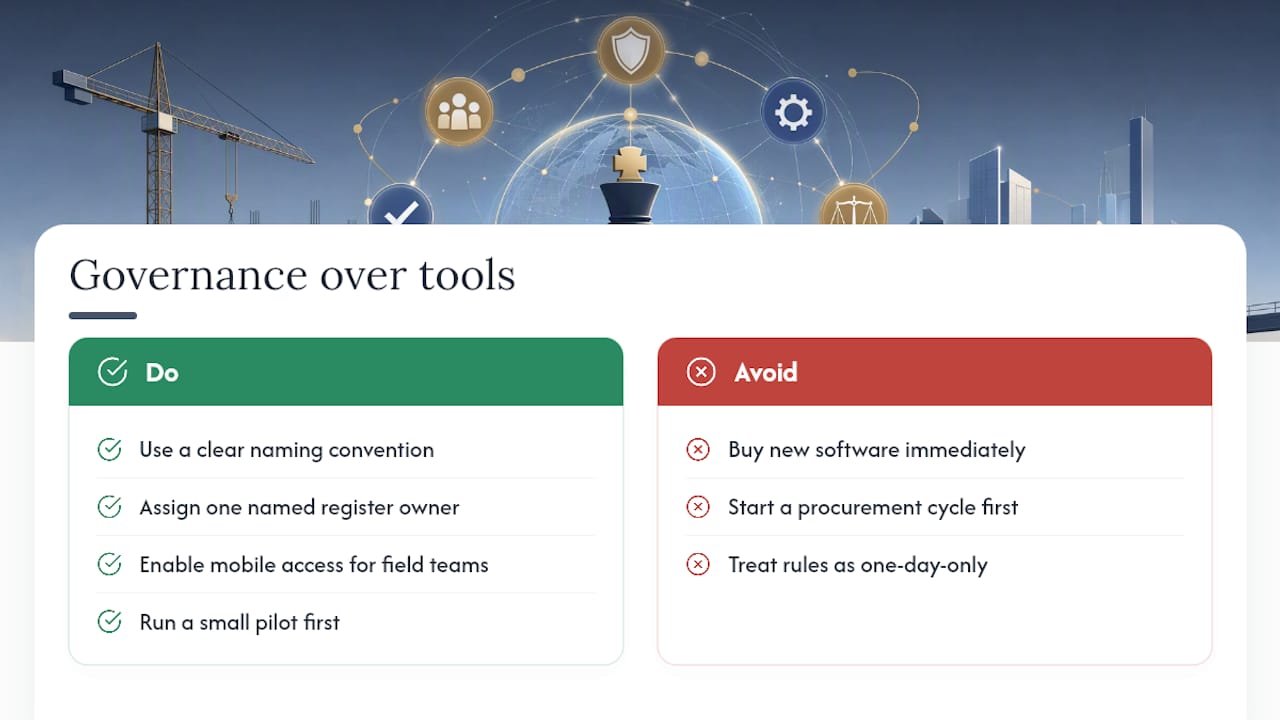
Most teams treat document control as a software decision. It isn't. The platform matters far less than whether someone owns the register and whether naming rules are actually followed on day three of the project, not just day one when everyone's paying attention.
If you want to test this cheaply, run a pilot on your next project with three elements only: a naming convention, one named owner, and mobile access for the field. No new software, no procurement cycle. Watch how much friction disappears before you even consider a bigger platform investment.
— Peter
How Videra keeps your records audit-ready by design
Keystoneconsulting built Videra around the exact failure points this guide covers: registers with one clear owner, naming rules that hold up across every subcontractor, and audit trails that build themselves rather than getting reconstructed after a dispute lands. Where a shared drive or a spreadsheet register asks your team to remember the rules, Videra maps the workflow so the rules are the workflow.
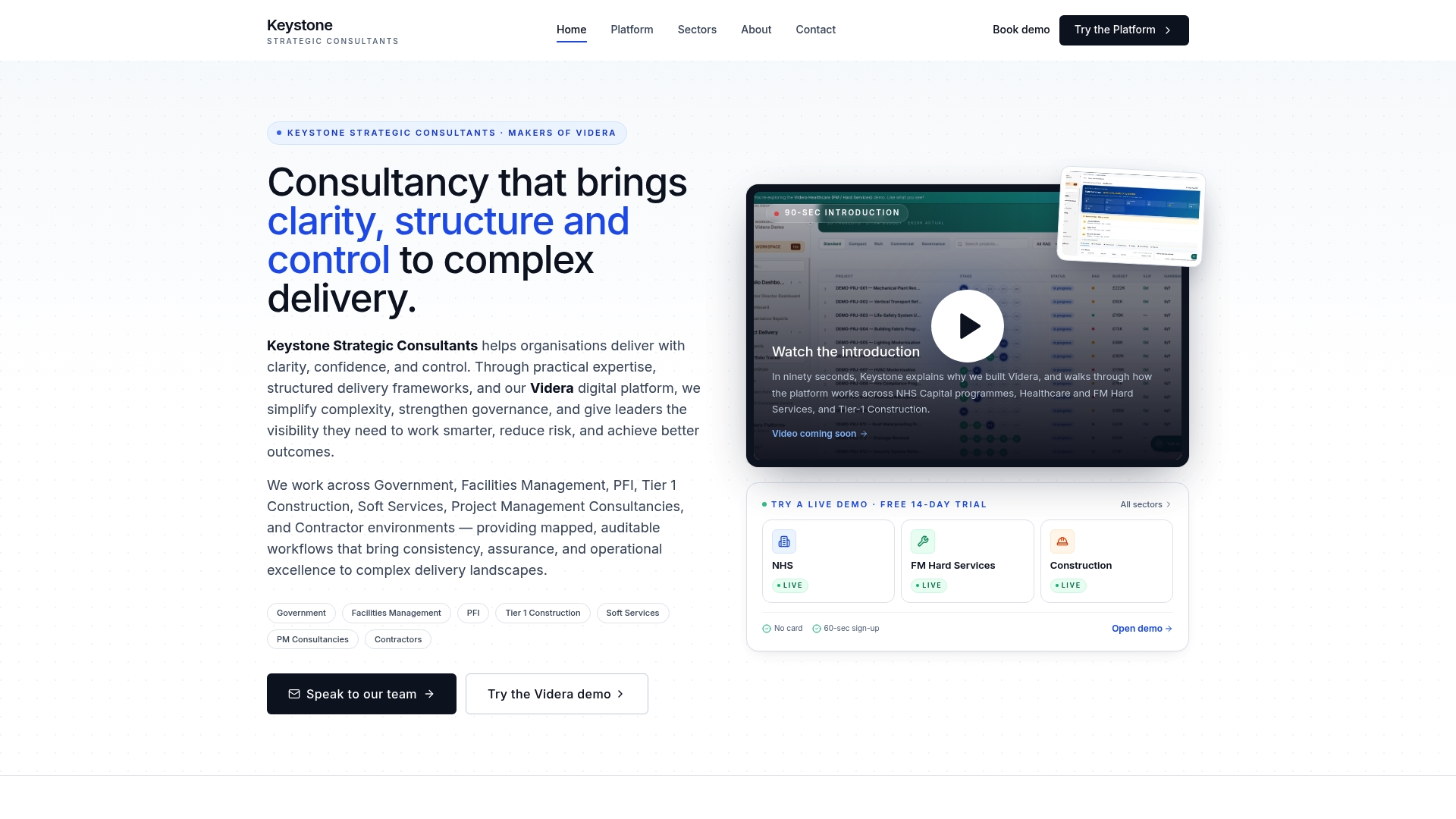
The practical payoff is fewer unresolved RFIs sitting in limbo and a closeout package that's already assembled when handover arrives, not scrambled together in the final week. That's the difference between chasing documents and simply having them. If you're running a construction programme and want to see how mapped workflows and AI-powered reporting apply to your delivery model, visit the Videra Construction page or get in touch with Keystoneconsulting for a diagnostic on your current setup.
Sources
- 10 Expert Tips for Construction Document Control | Autodesk
- Construction document control: A practical guide | Fieldwire by Hilti
- What is Document Control in Construction? | Datagrid
- 16.5 Construction Document Control | Bureau of Engineering